How to Find Your Device's Developer Password
Find your reMarkable root password, developer password, or SSH password
Developer Password Location
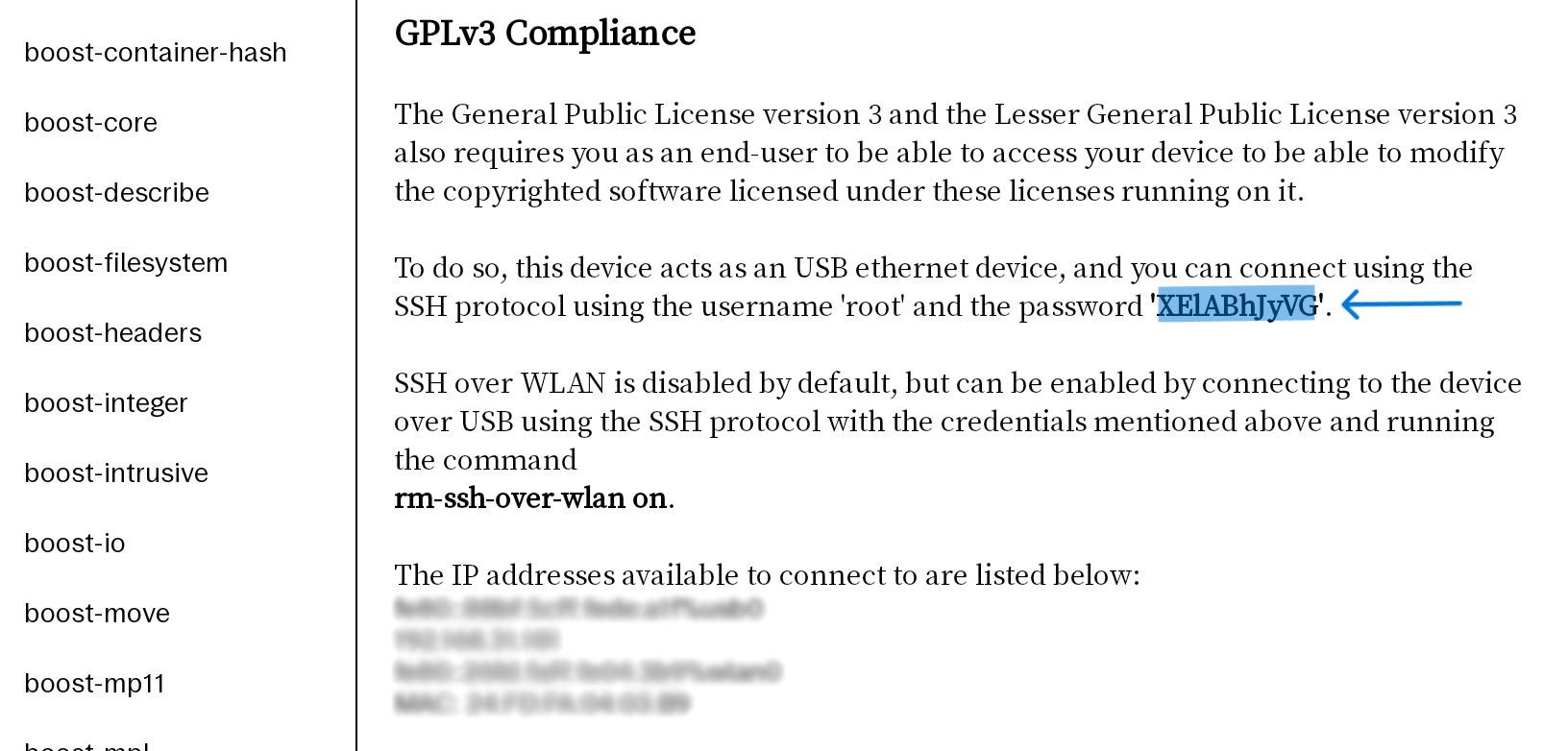
Open your tablet > Top-left Menu > Bottom-left Settings > Bottom-left Help > Right side Copyrights and licenses
Look at the bottom-right (smaller screen devices like Paper Pro Move may need to scroll down). The content inside the single quotes after "Password:" is your password (the password does not include the single quotes; note the difference between i/L/1 and o/O/0 characters).
Enable Developer Mode
[Enabling will erase the device — please back up your data first] If you cannot find the password in the image above, you need to enable Developer Mode. How to enable Developer Mode:
Device Settings -> Software -> Advanced toggle -> Developer mode -> Select confirmation options like Accept/Confirm -> Quickly press the power button 4-5 times -> Restart and complete the setup wizard -> Done
Note: reMarkable 1 and reMarkable 2 come with Developer Mode enabled by default — no action needed.